Multi-zone

Irregular Mulch Calculator

About 1 in 3 residential beds we measure on-site doesn't fit any single shape — they wrap around corners, dodge utility boxes, or follow the curve of a driveway. The trick isn't a fancier formula; it's decomposing the bed into 2–4 clean rectangles and summing them. This calculator walks you through that step by step.
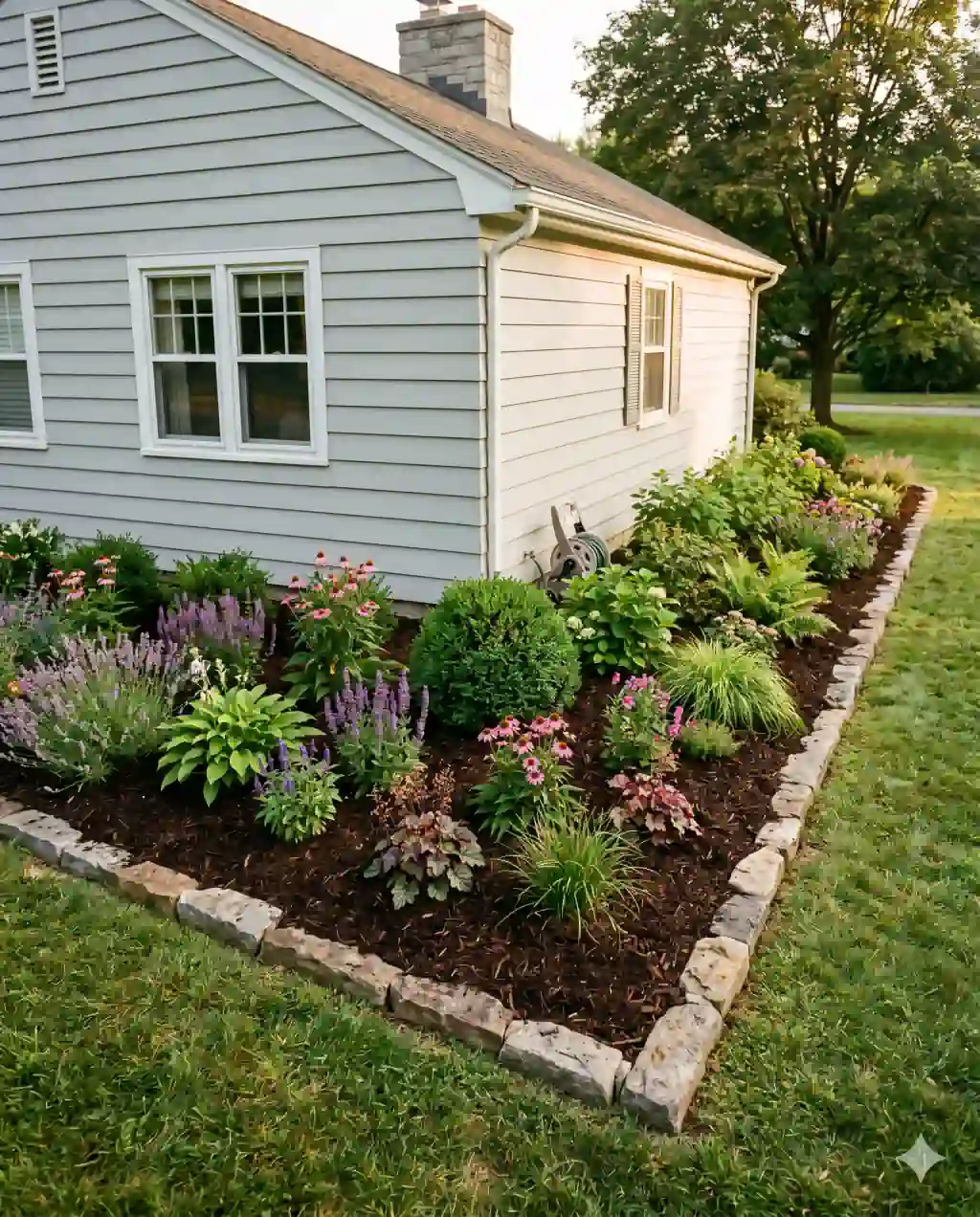
An L-shaped foundation planting bed wrapping the corner of a clapboard suburban house, freshly mulched with stone edging.
Photograph for MulchCalc.
The worksheet

Do the
math here.

Enter dimensions in the units you measured in. The page does the converting — cubic feet, cubic yards, bag counts, and price — without sending your numbers anywhere.

Step 1 — Walk the perimeter and identify the spine lines

Before you touch the calculator, walk the bed once with no tape in hand. You're looking for the straight architectural lines that frame it — the house wall, a fence, a sidewalk, the edge of a driveway. These become the long edges of your rectangles.

Step 2 — Sketch it on whatever's handy

  1. Grab graph paper, the back of a seed envelope, or your phone's notes app — anything that lets you draw to scale.
  2. Mark each rectangle with a letter (A, B, C) and write the length × width inside.
  3. Where two rectangles share an edge, draw a heavy line so you don't double-count.
  4. Check for overlap at corners: if rectangle B starts inside rectangle A, shrink B until it begins exactly at A's edge.
  5. Annotate any subtraction zones — stepping stones, a birdbath base, an open mulch-free trunk clearance — to subtract after summing.

Step 3 — Enter each rectangle and sum

Step 4 — Account for curves and subtractions

Curves are the only place this method gets noticeably approximate. The two ways to handle them:

  • Stair-step: trace the curve with 3–5 short rectangles that follow it. Accurate to within 5% if the rectangles overlap the curve evenly.
  • Ellipse formula: for a full oval section, use length × width × 0.785 as the area and enter it as a single zone with width = 1 ft, length = the computed area.
  • Half-circle: for a rounded end-cap, use π × radius² ÷ 2, then enter as one zone the same way.

Subtractions go in last. Sum the additive zones, then deduct any large hardscape (over 10 sq ft) before applying depth.

Step 5 — Order with a 10% settling buffer

Zone countTypical bedAccuracy vs surveyTime to measure
1 rectangleSimple straight border98–100%2 min
2 rectanglesL-shape wraparound96–98%4 min
3 rectanglesU-shape patio surround95–97%6 min
4+ rectanglesMulti-zone foundation bed93–95%10 min
With curves stair-steppedCurved peninsula border90–93%12 min

Reader Letters

Frequently asked questions

How does the irregular mulch calculator work?+

Split the bed into the smallest set of rectangles that cover it without overlap. Enter the length and width of each zone; the calculator sums the areas, multiplies by depth, and converts to bags or cubic yards. Most real gardens decompose cleanly into 2–4 rectangles.

How many zones should I create?+

Use the fewest rectangles that keep total area within 5% of the true footprint. Two to four zones handles most residential beds. More than six usually means a different calculator (circle, triangle, trapezoid) would be faster for one of the sections.

What about L-shaped or U-shaped beds?+

L-shapes split into two rectangles where the leg meets the foot. U-shapes split into three — left arm, base, right arm. Make sure adjacent rectangles share an edge but don't overlap; if they overlap, subtract the overlap from one before summing.

Can I include curved or oval sections?+

Two options: stair-step the curve with 3–5 short rectangles (within 5% accurate), or compute the ellipse area as length × width × 0.785 and enter it as a single zone with width = 1 ft and length = the computed area.

What's the most common mistake with multi-zone calculations?+

Double-counting corners where two rectangles meet. If zone B starts exactly at the edge of zone A you're fine; if they overlap by even a foot, subtract that overlap rectangle from one zone before summing. Sketching on graph paper first cuts this error to near zero.

Can I save my zones for later?+

Not yet — the calculator runs entirely in your browser and doesn't persist between visits. Screenshot the result, or jot the zone dimensions on the same sketch you used to plan them.

How accurate is this versus hiring a surveyor?+

Within roughly 5% for most yards, per the Cornell sketch-and-measure data. A laser survey is more accurate (under 1%) but typically costs $300+ for residential — not worth it unless the bed exceeds 1,000 sq ft.